


When you login to Consorts, you will initially see your dashboard. Here you will be able to access your name, username, email, subscriptions and even change your password if you wish. If you are a regular, you will also see a list of your subscription payments. An active subscription will be in a green box and an old expired one, in a red box.
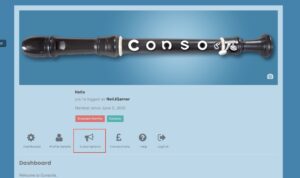
To update your subscription, you need to click in the subscriptions icon. (highlighted with the red square).
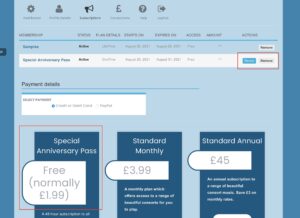
You should now see a screen with a list of your subscriptions… Once again you may well find that you have an old weekend pass (special anniversary fee pass) which expired weeks, months, or even a year ago, leaving you with just the freer samples! Next to an expired subscription should be a button which says renew…. If you click this button, it would normally take you to the payments screen, but if it is free, it will just make the adjustment. Job Done!
Alternatively, you can remove the old subscription by clicking it to highlight and clicking ‘remove’ You can then click on your desired new subscription option below. Again, if it requires payment, you will be taken to the payments screen.